
 Nora
Nora 0.9.5 for mobile adds proxy username and password fields on mobile and more control over what appears on X. It also improves Facebook ad filtering and browser cookie imports.
Sign In to Your Proxy on Mobile
Open Settings → Browsing → Proxy to choose HTTP or SOCKS, enter the host and port, and supply your username and password. Authenticated proxies are supported on Android and iOS 17 or later, for both browsing and feed requests.
Credentials stay on the device and are excluded from backups and sync. On iOS 16, proxy support remains limited to unauthenticated HTTP proxy requests for feeds.
Choose What to Hide on X
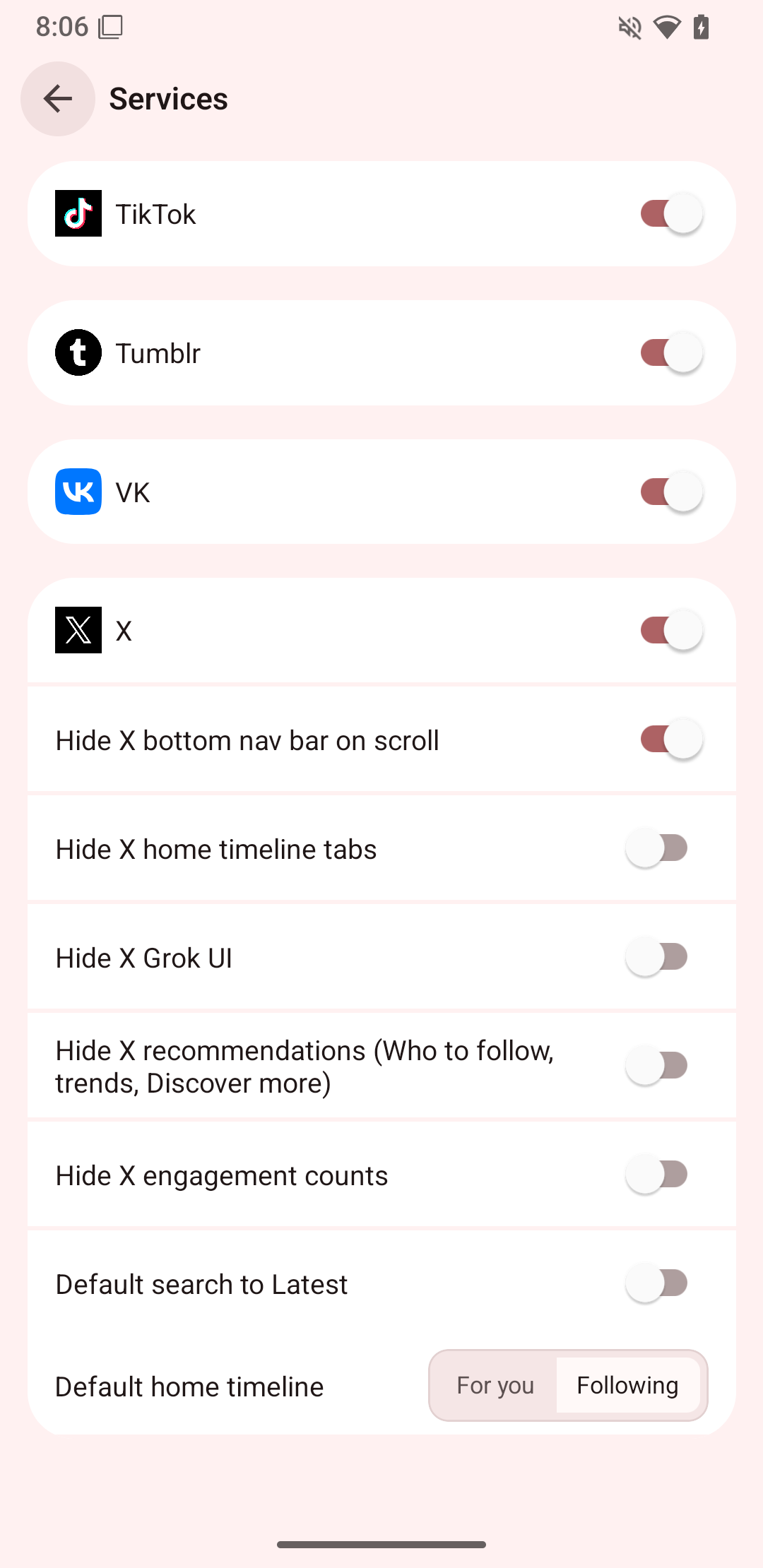
Under Settings → Services → X, you can now choose to hide:
- Grok UI, to remove Grok interface elements.
- Recommendations, including Who to follow, trends, and Discover more.
- Engagement counts, for a timeline with fewer numbers competing for attention.
These controls are optional. The same settings section also offers Default search to Latest, so searches open with recent posts instead of Top results. You can still switch search tabs on X when you want a different view.
Keep Ordinary Facebook Posts Visible
Facebook ad filtering now checks the sponsored label itself. Ordinary posts that happen to mention “Ad” or “広告” are less likely to be hidden by mistake.
More Reliable Cookie Imports
Importing browser cookies now preserves names beginning with __Host- and __Secure-. Keeping those prefixes intact helps sites recognize the imported session correctly.
See the release notes on GitHub for the complete list of changes.
Get Nora
Install or update Nora, or explore the Nora documentation to learn more.