
 Nora
Nora 0.9.6 for mobile brings ad blocking and link and image menus to sites you open from Android home screen shortcuts. The feed reader also gets fixes for selecting text, scrolling, and switching tabs.
Your Ad Blocking Settings, in Home Screen Shortcuts
On Android, sites saved with Nora’s Add to Home screen action open in a standalone window. Those windows now use Nora’s ad blocking settings, including network blocking and rules that hide ad elements on the page.
To try it, open a site in Nora, choose Add to Home screen from the page menu, then launch the shortcut from your launcher. Your configured blocking rules apply there too.
Long-Press Links and Images
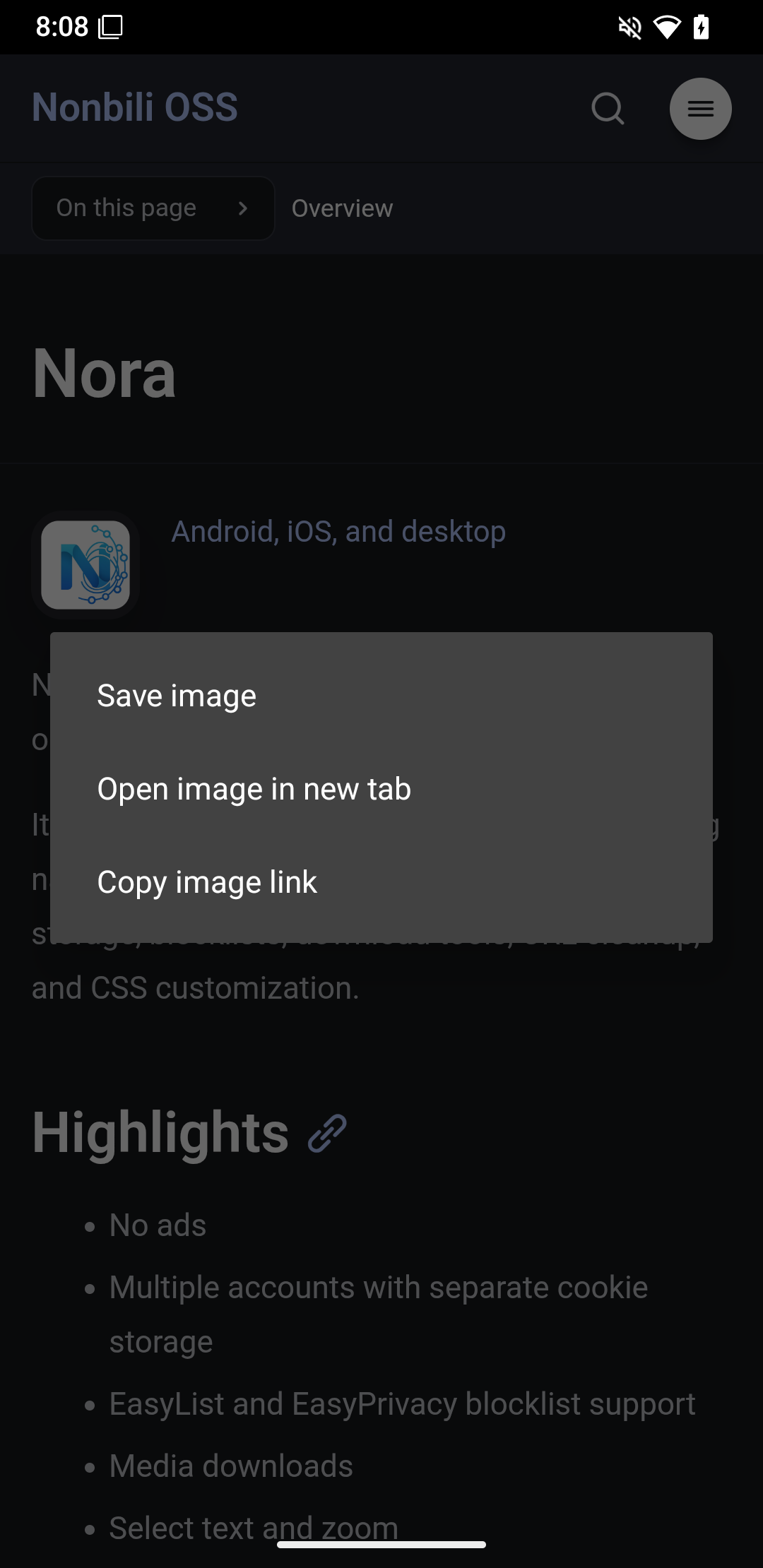
Android home screen shortcuts now offer context menus:
- Long-press a link to copy its address or open it in a new Nora tab.
- Long-press an image to save it, copy its address, or open it in a new Nora tab.
You can keep reading in the standalone window and send a link to Nora when you want to explore it in a tab.
Easier Reading in the Feed
This release also fixes three interactions in Nora’s built-in feed reader:
- Text selection: Selecting text in a post description works more reliably.
- Header animation: The feed header animates correctly as it collapses and expands.
- Overlays when switching tabs: Feed overlays belong to the tab that opened them, keeping them from appearing over another tab.
New to the feed reader? The Nora 0.9.0 introduction explains sources, timelines, and the media grid.
See the release notes on GitHub for the complete list of changes.
Get Nora
Install or update Nora, or explore the Nora documentation to learn more.