
 Nori
A bookmark keeps the address. With Nori 0.2.9 for mobile, you can keep a readable copy of a social post too. This release also lets you share bookmarks as image cards and choose how each list is sorted.
Keep a Copy of the Post
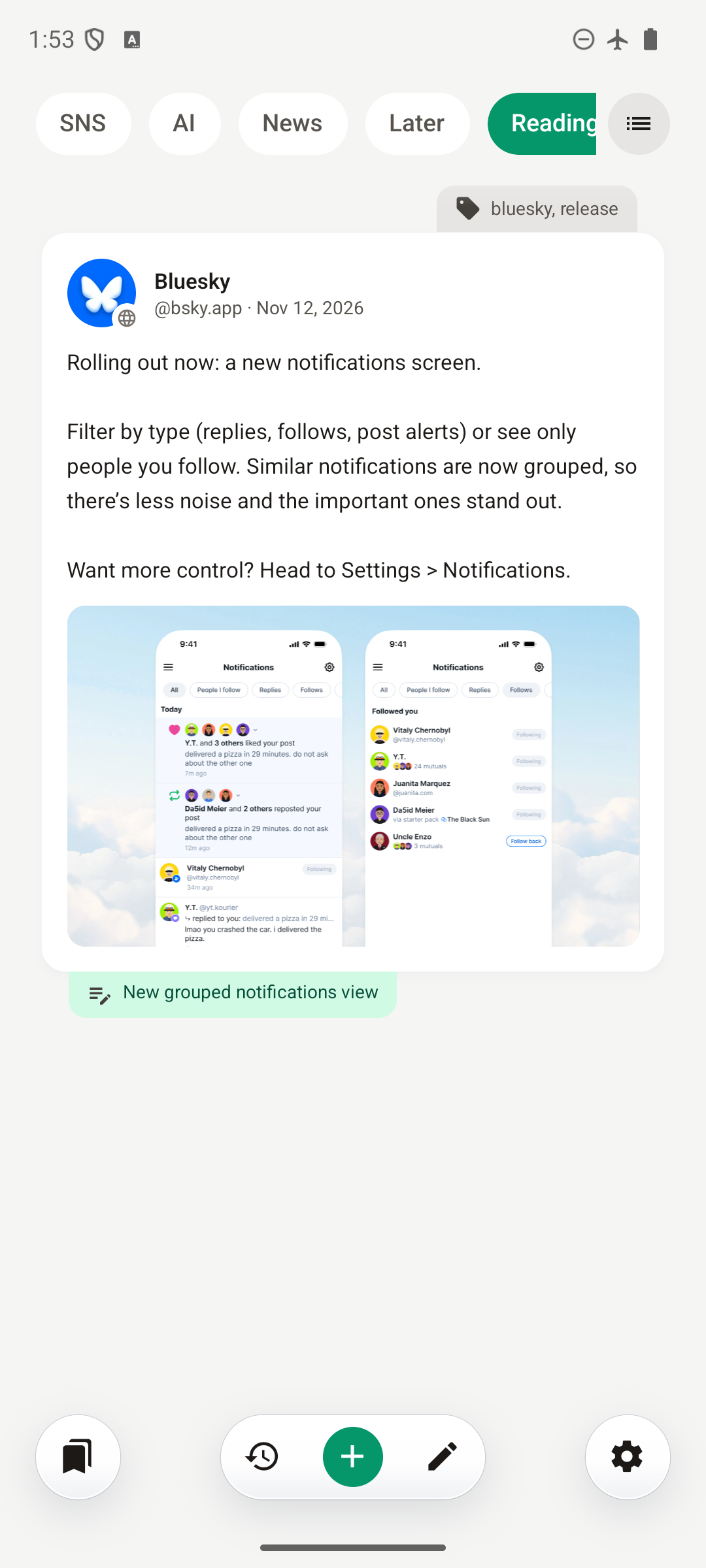
When you bookmark a supported social post, Nori automatically tries to save its content for offline reading. Once saved, the copy stays available when you’re without a connection or the original post disappears.
Supported services include X, Instagram, Threads, TikTok, Facebook, Bluesky, Reddit, and Mastodon. Depending on what the service makes available, the saved copy includes the author, post text, attached images, and quoted or related posts. You can also copy the post text.
Video and audio are saved as preview thumbnails, not playable offline downloads.
Some sites require sign-in or block automatic fetching. If a post doesn’t save, choose Save post from page, sign in if the site asks, and tap Save once Nori finds the post.
In the bookmark editor, Saved post shows the date of your saved copy. Use Refresh to fetch it again; if the site returns less content, Nori keeps the existing copy.
Automatic saving is on by default. You can turn it off under Settings → General → Save social posts offline. If you use Nori Sync, saved posts and their images sync across your devices.
Share More Than a Link
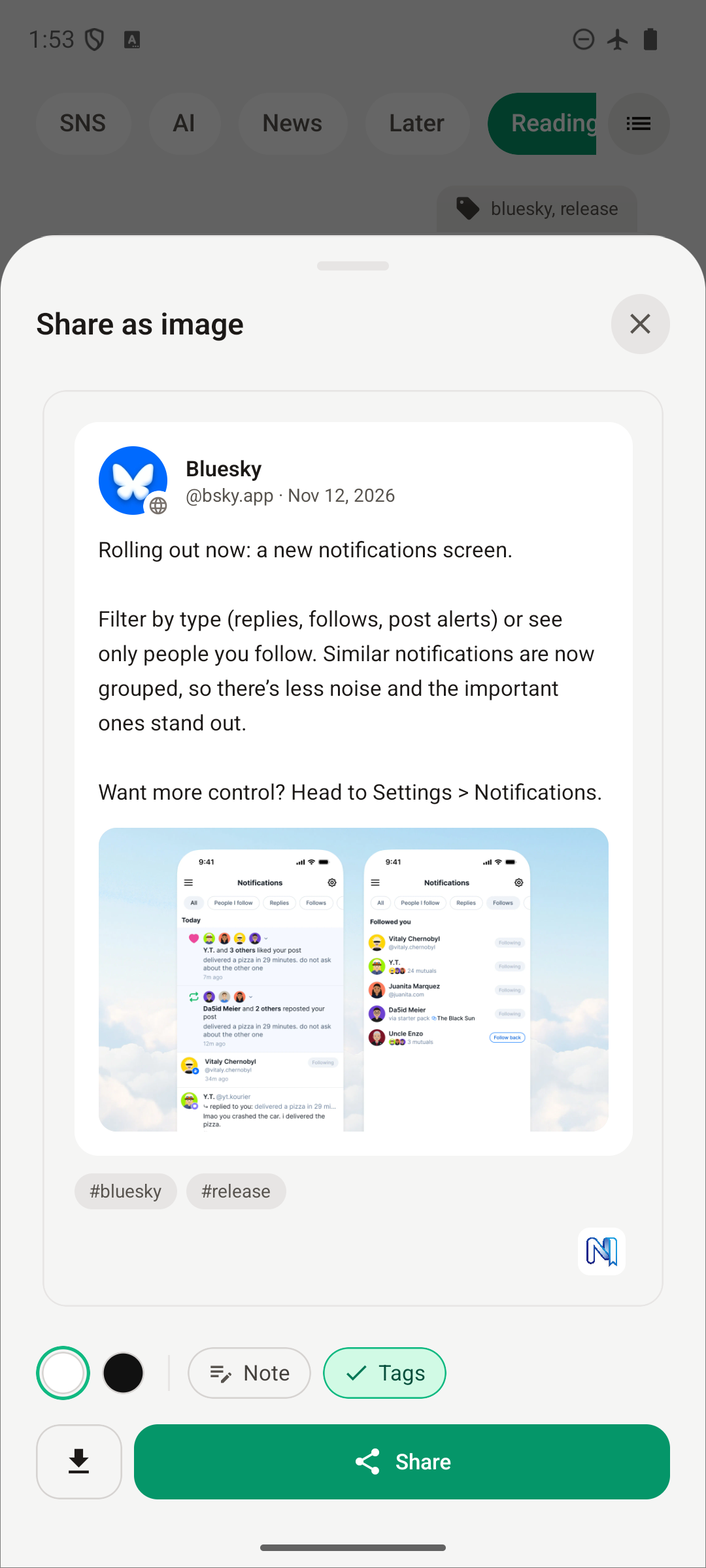
Found something you want to pass along? Open a bookmark’s action menu and choose Share as image. Nori turns a webpage bookmark or saved social post into an image card you can preview before sending.
Choose a light or dark background and decide whether to include the bookmark’s Note and Tags, when present. Notes start hidden, so you can choose whether to share what you wrote for yourself.
Tap Share to send the card through your device’s share sheet, or tap the download button to Save image to your photo library.
Give Each List Its Own Order
Keep a reading queue in the order you want to tackle it, put new finds first in another list, and sort a reference collection alphabetically.
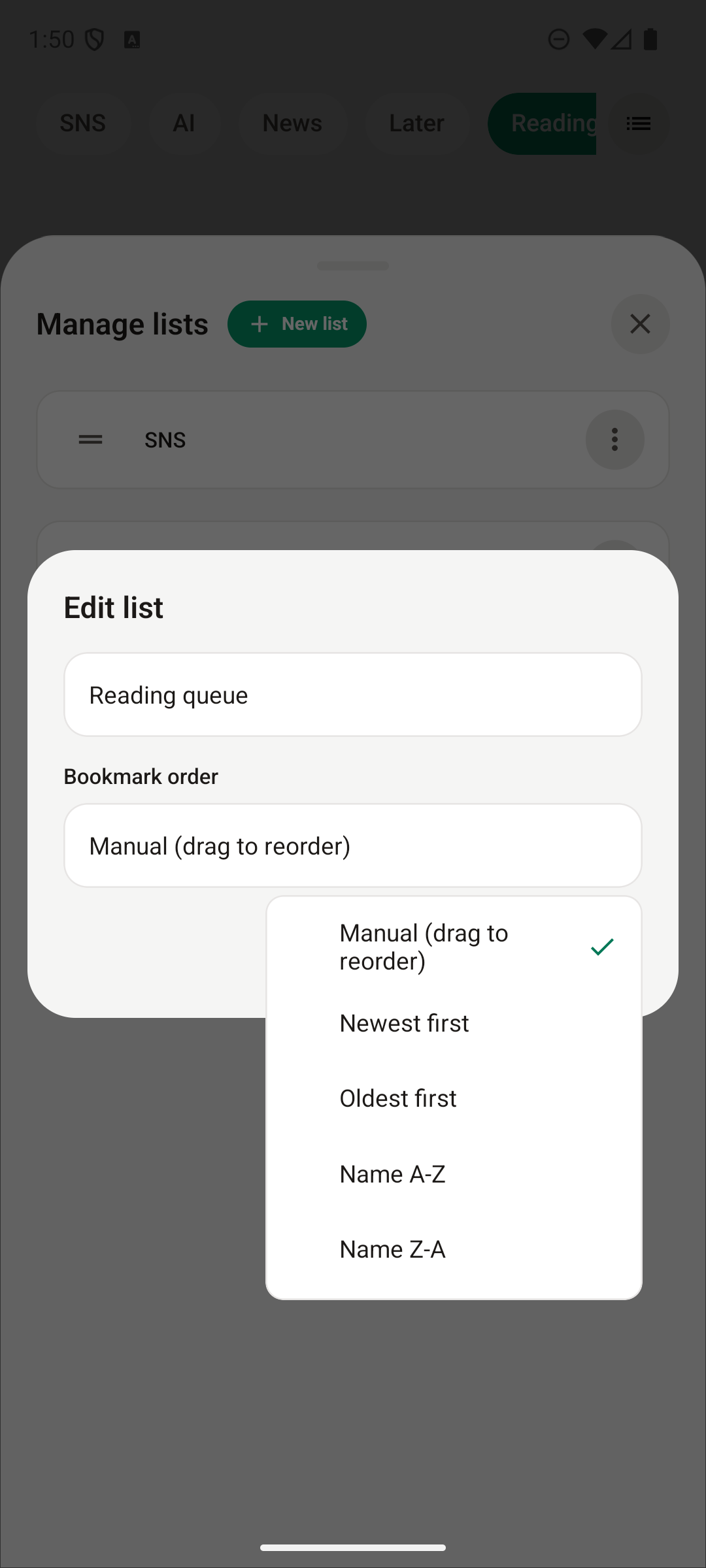
Open Edit list, or create a New list, and choose Bookmark order:
- Manual (drag to reorder) for an order you arrange yourself.
- Newest first or Oldest first to sort by when bookmarks were added.
- Name A–Z or Name Z–A to sort by name.
The choice belongs to that list, so your other lists can keep their own order. You can rename the list in the same editor.
This release also improves scrolling in the All Bookmarks drawer on iOS and fixes a sync issue. See the full release notes for details.
Install or update Nori, or explore the Nori documentation.